Customers
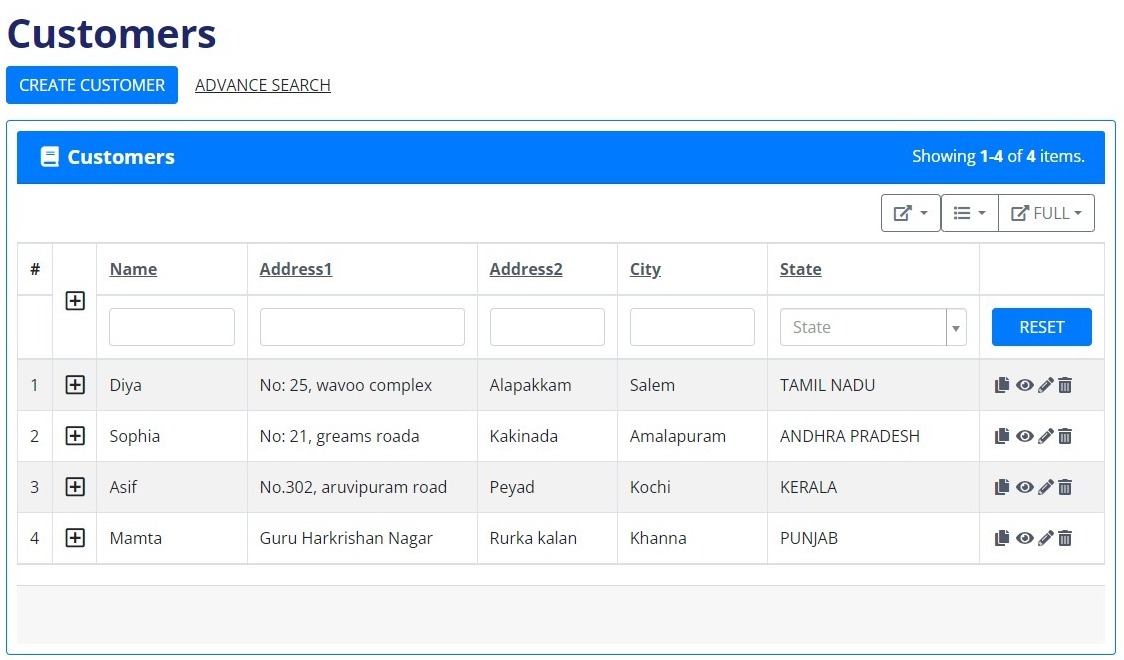
Creating a comprehensive customer list involves gathering essential details such as the customer's name, email address, GSTIN, address details (both primary and delivery), mobile number, WhatsApp number for updates, city, pin code, and state. To simplify the process, a convenient checkbox allows users to indicate if the delivery address matches the customer's primary address. If different, users can input the specific delivery address and contact details before finalizing the creation with a click of the "Create" button.
To ensure data accuracy, the system incorporates an error-checking mechanism. If any of the information fields are left blank, an error message promptly notifies the user, prompting them to fill in the missing details.
The organized customer list is presented in a table format, offering a clear overview. Users can seamlessly view, update, or save new customer entries, enhancing flexibility and efficiency.
For enhanced usability, an advanced search feature is provided, enabling users to locate customers based on various criteria such as name, address, or city. To streamline the process or start afresh, a reset button is conveniently available.